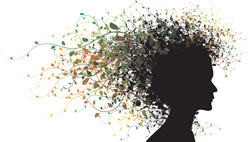
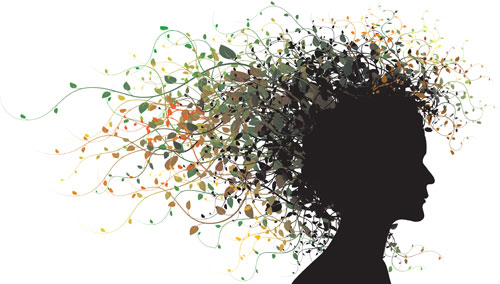
 In this tutorial I will show you how simple is creating of a new Art Brush in Adobe Illustrator and how you can then use it for creating wonderful illustrations – like the attached floral women portrait. You can draw above mentioned image within few minutes – you just have to create the silhouette of the face and then prepare art brush an use it for hair.
So first of all you have to draw one runner:
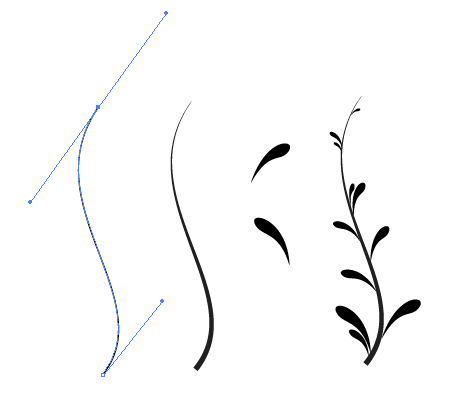
Now just rotate it, so it is horizontal and then drag and drop it above the Brush palette (you can display this palette via Window / Brushes or with key F5).
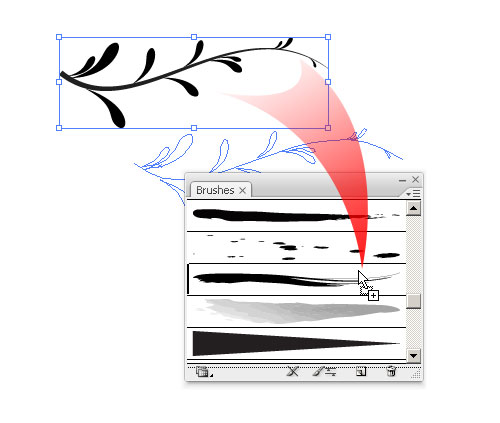
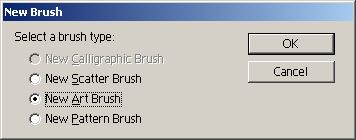
From the displayed dialog you will choose New Art Brush and hit OK.
After that you will see the Brush options dialog:
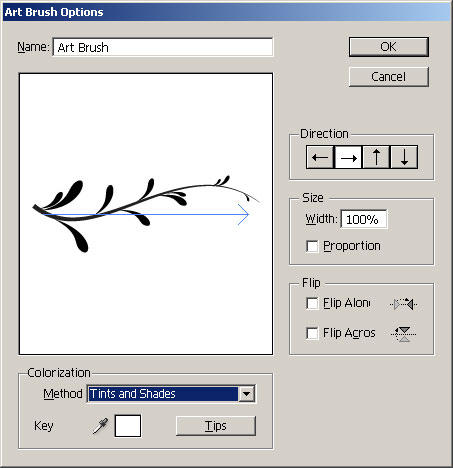
I suggest you to change the Colorization method to Tints and Shades, it will enable you to easily change the color of the brush (but this you can do anytime later via this brush options dialog).
Now you have your own brush – use pencil or any other drawing tool and make same shape, line, circle, curve, select it and then click on your brush in the brush palette – your new brush should be applied on the strokes.
Here are some examples, where I used this brush (mentioned illustrations are selling quite well in microstock and generates me nice income, if you want to try it too – check my older article How to start selling photos and illustrations on microstock)



P.S. This was my first tutorial on my blog, what do you think about it – please answer my poll, or leave some comment. Thanks.
Thanks for the tuts.
And thanks to spread your knowledges!
It’s much appreciated!
Very useful and easy to understand tutorial. Thank you!
I loved the article. I especially liked the example illustrations you included showing complete work done using the brush you created. The tut was easy to follow. Thanks.
Thank you so much.
Just ok but your creation is best you need more creativity
Thank you so much for tutorials! This is a great site! :-)
Thank you so much for tutorials! This is a great site! :-)
I tried to make your silhouet portret (very nice!), but I do not have enough skills in illustrator to make it. I have 2 questions: 1: which brushes do you use for the leaves? 2:How do you create a gradient in the brush (or do you have to outline all the seperate paths?)
Thanks!
Hi Jessie,